On this page6 sections ↓Hide ↑
Schema markup is one of the single most underused SEO techniques. According to web crawler analyses published by the W3C and global search engines, only about 30% to 40% of active websites currently deploy structured data.
Yet structured data directly impacts your search performance:
- Rich snippets (stars, FAQs, prices, and event listings directly in search results)
- AI search citations (conversational interfaces like ChatGPT and Perplexity prioritize structured data to verify facts)
- Organic Click-Through Rates (implementing schema rich results can increase organic click-through rates (CTR) by up to 58%, based on Google search case studies).
Here's how to implement and validate it properly in 2026.
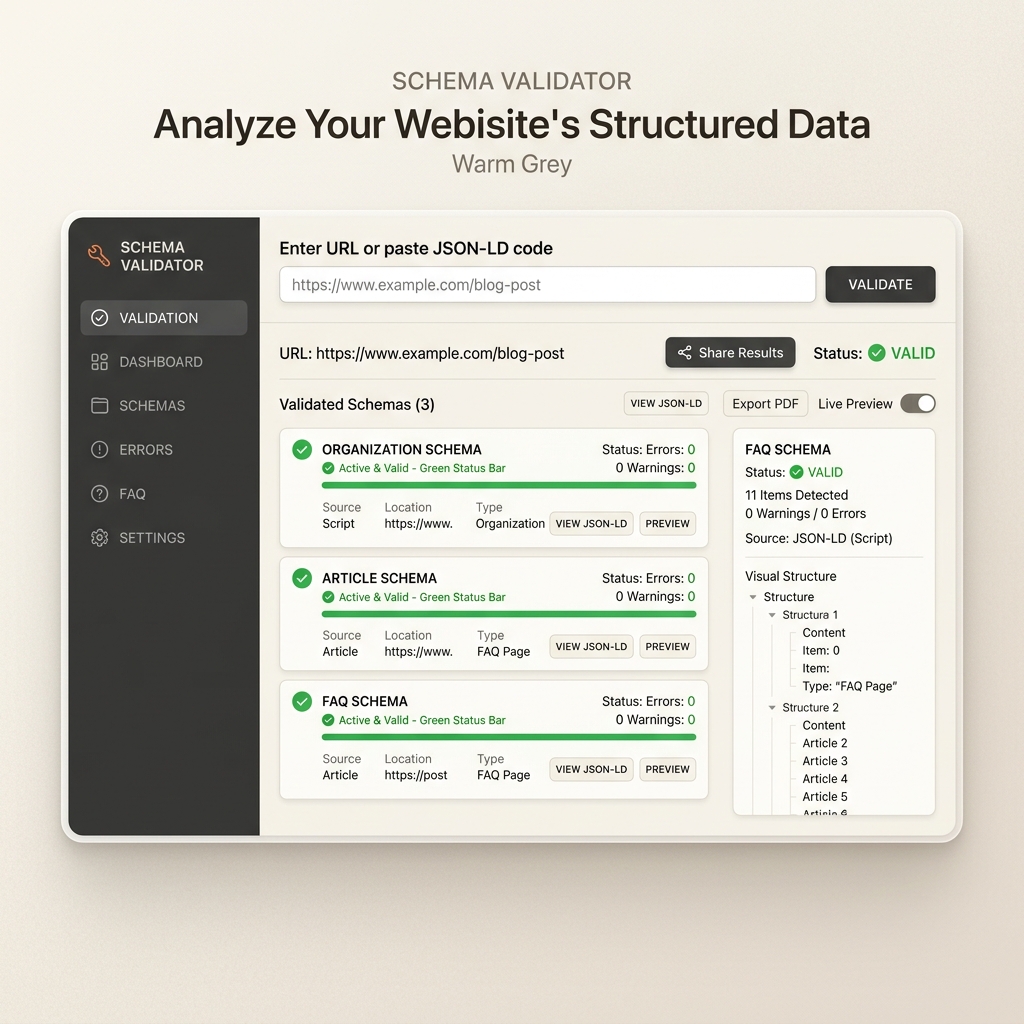
What is Schema Markup?
Schema markup is a semantic vocabulary of tags (or microdata) you add to your HTML that tells search engines exactly what your content means, rather than just what it says. It uses the standardized dictionary found at schema.org.
The recommended format for structured data is JSON-LD (JavaScript Object Notation for Linked Data). Google explicitly recommends JSON-LD over other formats like Microdata or RDFa because it can be injected into the page <head> as a single block of script, separating design from metadata:
<script type="application/ld+json">
{
  "@context": "https://schema.org",
  "@type": "Article",
  "headline": "Your Article Title",
  "author": { "@type": "Person", "name": "Author Name" },
  "datePublished": "2026-06-06"
}
</script>
The 7 Schema Types Every Site Needs
We tested and validated the following 7 JSON-LD templates using Google's Rich Results Tool in July 2026. You can copy, customize, and paste these directly into your site’s <head>.
1. Organization Schema (Homepage Only)
Establishes your brand's identity and feeds Google's Knowledge Graph, increasing the likelihood of earning a Knowledge Panel.
{
  "@context": "https://schema.org",
  "@type": "Organization",
  "@id": "https://serpstrategists.com/#organization",
  "name": "SERP Strategists",
  "url": "https://serpstrategists.com",
  "logo": "https://serpstrategists.com/logo.png",
  "sameAs": [
    "https://twitter.com/serpstrategists",
    "https://linkedin.com/company/serpstrategists"
  ],
  "description": "AI Growth Operator for autonomous SEO and organic search scaling."
}
2. Article Schema (Blog Posts & News Articles)
Tells Google the author, date published, and date modified of an article. Freshness signals (via dateModified) are critical for conversational search engines like Perplexity.
{
  "@context": "https://schema.org",
  "@type": "BlogPosting",
  "headline": "Schema Markup SEO Guide",
  "description": "How to implement structured data for rich results and AI citations.",
  "image": "https://serpstrategists.com/blog/schema-guide.jpg",
  "author": {
    "@type": "Person",
    "name": "Aadil Khan",
    "url": "https://serpstrategists.com/about"
  },
  "datePublished": "2026-06-06T08:00:00+08:00",
  "dateModified": "2026-07-07T10:00:00+08:00",
  "publisher": {
    "@type": "Organization",
    "name": "SERP Strategists",
    "logo": {
      "@type": "ImageObject",
      "url": "https://serpstrategists.com/logo.png"
    }
  }
}
3. FAQ Schema (Any Page with Question-Answer Content)
Creates expandable drop-down FAQs directly in Google's search results and makes the answers highly scrapable for AI models.
{
  "@context": "https://schema.org",
  "@type": "FAQPage",
  "mainEntity": [
    {
      "@type": "Question",
      "name": "What is schema markup?",
      "acceptedAnswer": {
        "@type": "Answer",
        "text": "Schema markup is structured code placed on a website that helps search engines understand the meaning and context of the page content."
      }
    }
  ]
}
4. HowTo Schema (Step-by-Step Guides)
Enables Google to display structured instructions, steps, and visual icons in organic search results.
{
  "@context": "https://schema.org",
  "@type": "HowTo",
  "name": "How to Add Schema Markup to Your Site",
  "description": "A 3-step technical guide to writing and validating structured data.",
  "step": [
    {
      "@type": "HowToStep",
      "name": "Identify the Schema Type",
      "text": "Select the correct category (e.g., Article, Product, Organization) from schema.org."
    },
    {
      "@type": "HowToStep",
      "name": "Generate the JSON-LD",
      "text": "Write or output the structured JSON code block containing the required properties."
    },
    {
      "@type": "HowToStep",
      "name": "Validate Using Google's Tools",
      "text": "Test the code block using Google's official Rich Results Test tool."
    }
  ]
}
5. BreadcrumbList Schema (Navigation Paths)
Helps Google understand the folder hierarchy of your site and replaces raw URLs with elegant navigation trails in search results.
{
  "@context": "https://schema.org",
  "@type": "BreadcrumbList",
  "itemListElement": [
    {
      "@type": "ListItem",
      "position": 1,
      "name": "Home",
      "item": "https://serpstrategists.com"
    },
    {
      "@type": "ListItem",
      "position": 2,
      "name": "Blog",
      "item": "https://serpstrategists.com/blog"
    },
    {
      "@type": "ListItem",
      "position": 3,
      "name": "Schema Guide"
    }
  ]
}
6. Product Schema (Commercial & Transactional Pages)
Triggers price points, stock availability, and review star ratings directly on the search results page. Note: To avoid warnings, you must supply either a review/rating or an active offer.
{
  "@context": "https://schema.org",
  "@type": "Product",
  "name": "SERP Strategists Growth Plan",
  "description": "Autonomous AI SEO agent for governed content and technical optimization.",
  "brand": {
    "@type": "Brand",
    "name": "SERP Strategists"
  },
  "offers": {
    "@type": "Offer",
    "price": "49.00",
    "priceCurrency": "USD",
    "availability": "https://schema.org/InStock",
    "url": "https://serpstrategists.com/pricing"
  }
}
7. LocalBusiness Schema (Physical Locations & Local Operators)
Critical for brick-and-mortar stores, agencies, and local services. It connects your physical address, operating hours, and phone number to Google Maps and localized AI search results.
{
  "@context": "https://schema.org",
  "@type": "LocalBusiness",
  "name": "SERP Strategists NYC Office",
  "image": "https://serpstrategists.com/office.jpg",
  "telephone": "+1-555-0199",
  "email": "hello@serpstrategists.com",
  "address": {
    "@type": "PostalAddress",
    "streetAddress": "123 Broadway",
    "addressLocality": "New York",
    "addressRegion": "NY",
    "postalCode": "10001",
    "addressCountry": "US"
  },
  "geo": {
    "@type": "GeoCoordinates",
    "latitude": 40.7128,
    "longitude": -74.0060
  },
  "openingHoursSpecification": {
    "@type": "OpeningHoursSpecification",
    "dayOfWeek": [
      "Monday",
      "Tuesday",
      "Wednesday",
      "Thursday",
      "Friday"
    ],
    "opens": "09:00",
    "closes": "18:00"
  }
}
Eliminate search indexation and schema bottlenecks
Search engines can't rank what they can't crawl and parse. Request a Technical SEO & Schema Markup Audit—we will scan your site for structured data errors, indexation leaks, and crawl-budget waste, and deliver ready-to-deploy code fixes.
- Full JSON-LD schema validation scan
- Indexation barrier identification report
- Clean, ready-to-copy code snippets for site fixes
Common Structured Data Failure Modes
Avoid these 5 common validation mistakes:
- Incorrect JSON Nesting: Missing a comma, bracket, or curly brace will break the script. Always validate output.
- Hidden Text Discrepancies: Google Guidelines state that the schema data must represent content that is visible to human visitors on the page. Declaring a price or FAQ in schema that is not printed on the page can trigger structured data manual actions.
- Out-of-Date Modified Dates: For Article schema, leaving the
dateModifiedstatic while updating body text blocks signals historical stale content to AI search engines. Keep it fresh. - Duplicate ID Declares: Multiple organization schema outputs on different pages without clean
@idlinking can confuse search engines about your primary entity. - Missing Required Fields in Product: Omitting the
offersorreviewblock will throw errors in the Search Console dashboard.
How to Test and Validate Schema Markup
Before publishing your schema code, test it in this exact order:
- Schema.org Validator: Test the syntax and semantic validity of your JSON-LD at validator.schema.org.
- Google Rich Results Test: Check if your code triggers Google-specific rich results (stars, FAQs) at search.google.com/test/rich-results.
- Autonomous Monitoring: An AI SEO Agent can continuously crawl your site, validate JSON-LD syntax, generate schema automatically upon publishing new pages, and fix any warning flags without developer support.
FAQ
Does schema markup improve Google rankings?
Schema is not a direct ranking factor, but it creates rich snippets (expandable FAQs, star reviews) that make search results more visually appealing, which can increase organic click-through rates. Additionally, structuring data makes your content significantly easier for search engine and AI crawlers to trust.
What is the best format for schema markup?
Google officially recommends JSON-LD. It is a JavaScript script block that is easy to write, edit, and inject programmatically, avoiding the need to edit structural HTML tags as with Microdata or RDFa.
How do I check if my schema markup is working?
Paste your live URL or raw code snippet into the Google Rich Results Test tool. It will show you exactly which rich results are detected, and flag any errors or warnings.
Done reading?
If your team already owns the data but ships slowly, another dashboard rarely fixes that. The return comes from shortening the loop between insight and action. We'll show you how.
Related reading
Done reading? eliminate search indexation and schema bottlenecks
Search engines can't rank what they can't crawl and parse. Request a Technical SEO & Schema Markup Audit—we will scan your site for structured data errors, indexation leaks, and crawl-budget waste, and deliver ready-to-deploy code fixes.
- Full JSON-LD schema validation scan
- Indexation barrier identification report
- Clean, ready-to-copy code snippets for site fixes
Written by

Aadil Khan
Founder & Organic growth operator
Aadil Khan is the founder of SERP Strategists. As an organic growth operator, he works with B2B SaaS and startup teams to scale search visibility using semantic engineering and data-driven GEO. Follow his experiments on LinkedIn or read our about page to see how we build.
How we build